Homepage
Explain who the firm helps, what the main practice focus is, and what the visitor should do next.
Solo attorney website system
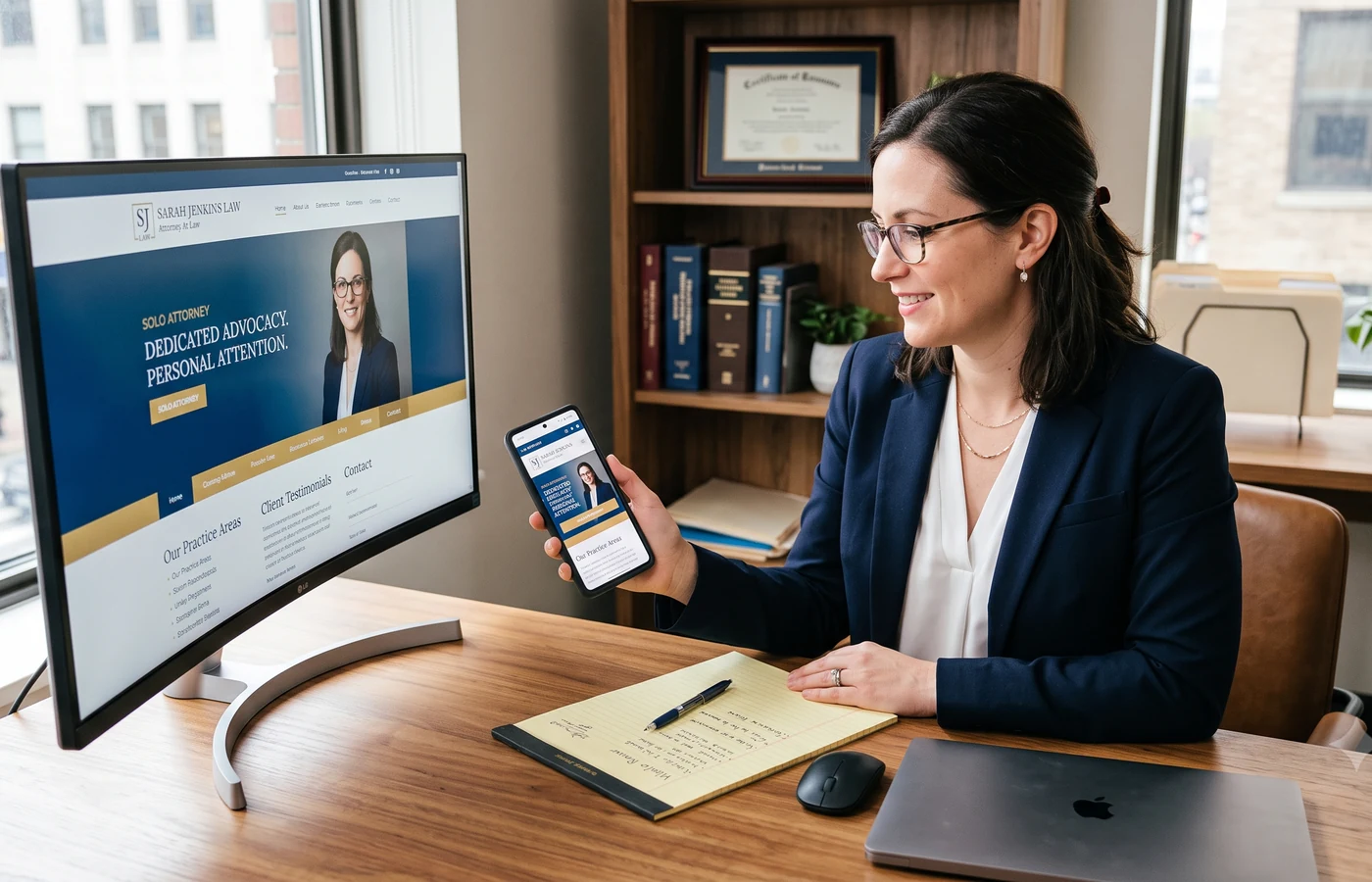
A solo attorney website should do more than look professional. It should explain the practice, earn trust, make consultation requests easy, and send every lead into a follow-up workflow the firm can actually manage.
Included launch setup + site migration. No setup fee. No ranking or lead guarantees.
At a glance
A solo law firm website should quickly explain who the attorney helps, make the main services clear, show credible attorney information, and give visitors a simple path to request a consultation. The strongest solo sites connect practice pages, booking, intake, lead follow-up, and search-ready structure instead of leaving inquiries scattered across email.
Where solos lose momentum
Many solo sites look finished but do not explain who the attorney helps, which matters are a fit, or how the consultation path works. A visitor may find a phone number, but the site does not preserve context, source, or next steps.
The common issue is not design taste. It is workflow. Thin practice pages, buried CTAs, disconnected booking, and leads that land in email force the attorney to rebuild context after every inquiry.
Solo firm website system
Legal Growth OS connects the pieces a solo firm usually has to assemble alone: professional website, attorney profile, practice pages, consultation CTAs, booking, intake, lead CRM, Legal AI support, SEO/AEO fields, launch setup, and site migration.
That connection matters because a solo attorney has less time to rebuild context. The public site should give the firm a useful lead record, not just a message.
Minimum page architecture
Explain who the firm helps, what the main practice focus is, and what the visitor should do next.
Build trust with real credentials, admissions, education, and consultation expectations.
Explain services, process, and next steps without giving legal advice online.
Answer practical process questions and reduce hesitation before contact.
Make requesting help simple and connect the request to intake and follow-up.
Use one clear H1, focused metadata, helpful internal links, visible FAQs where useful, and accurate schema.
Set safe boundaries for visitors, AI workflows, and public forms.
Consultation path
Build choice
Useful when the firm only needs pages, but intake, booking, CRM, legal disclaimers, and SEO structure often require separate tools.
Can produce a custom brand experience, but ongoing edits and lead workflow may still depend on outside support.
Combines the website, booking, intake, CRM, Legal AI, SEO/AEO fields, launch setup, and migration support in one system the firm can keep using.
Next step
Start with a professional site structure, clear intake path, booking, CRM follow-up, and launch support that keeps the solo attorney workflow manageable.
Questions
A solo firm website should include a focused homepage, attorney profile, practice pages, FAQs, contact or booking path, privacy and disclaimer pages, and enough intake structure to help the firm review requests.
Legal Growth OS is software with included launch setup and site migration support. It gives firms a website, booking, intake, CRM, Legal AI, and SEO/AEO workflow instead of only a visual page builder.
Yes. Booking and intake are strongest when they work together so the firm receives contact details, general context, appointment information, and source data in one lead record.
No. Legal Growth OS provides structure, SEO/AEO fields, sitemap support, and improvement workflows, but it does not guarantee rankings, leads, clients, revenue, or legal outcomes.
Yes. Site migration support is included so existing pages, attorney information, and approved content can be moved into the Legal Growth OS structure.
Counsel can fit a solo attorney that needs the website, booking, intake, CRM, and launch foundation. Advocate adds AI intake and content support. Partner adds monthly SEO/AEO and conversion review.
Legal Growth OS assistant